
01Video conferencing platform for business
Meetings that hold up
Vebex is online meeting software built in Austin since 2017 by thirty-eight people, most of them engineers, for teams across the United States: video meetings, webinars, team chat, recording and phone dial-in in one licence. We size it by the biggest meeting you run in a month and by how many people join on a weak connection. Not by headcount. Most teams overbuy capacity and underbuy dial-in, and we will tell you if you are one of them.

02 / 08 Catalogue
Online meeting software, in nine parts
Nine modules, one licence
Meetings is always on. Everything else attaches to it. Three modules cost nothing extra, three are billed by use, and the rest come with a tier. The price basis sits next to each name so nobody has to find it on a separate page.
- 01 Meetings Up to 49 tiles in gallery, 50 breakout rooms, and an audio-first fallback that drops video before it drops a voice. per host, per month
- 02 Webinars Panelists and attendees kept apart, moderated Q&A, and a practice room that opens 30 minutes before go-live. per attendee block of 500, per month
- 03 Team Chat Threads turn into a call with one button. Files up to 2 GB stay in the channel they were posted to. included with any host licence
- 04 Screen Share and Whiteboard Share one window instead of the whole desktop. The whiteboard canvas outlives the meeting. included with Meetings
- 05 Recording and Transcripts Retention set per workspace from 7 to 365 days. Roughly 600 MB per 1080p hour. per GB of retained storage, per month
- 06 Dial-in Dial-in and call-me for people with one bar of signal and no data plan. per minute of PSTN audio
- 07 Video Messages Clips up to 10 minutes, trimmed in the browser, posted straight into a thread. included with any host licence
- 08 Admin and Security SSO, role-based permissions, an audit log of every admin change, encryption in transit. included from Business tier
- 09 Integrations and API Calendar join links, a REST API, webhooks for meeting events and an embeddable meeting view. API calls included; high volume quoted per proposal
03 / A forty-minute call
One meeting, minute by minute
-
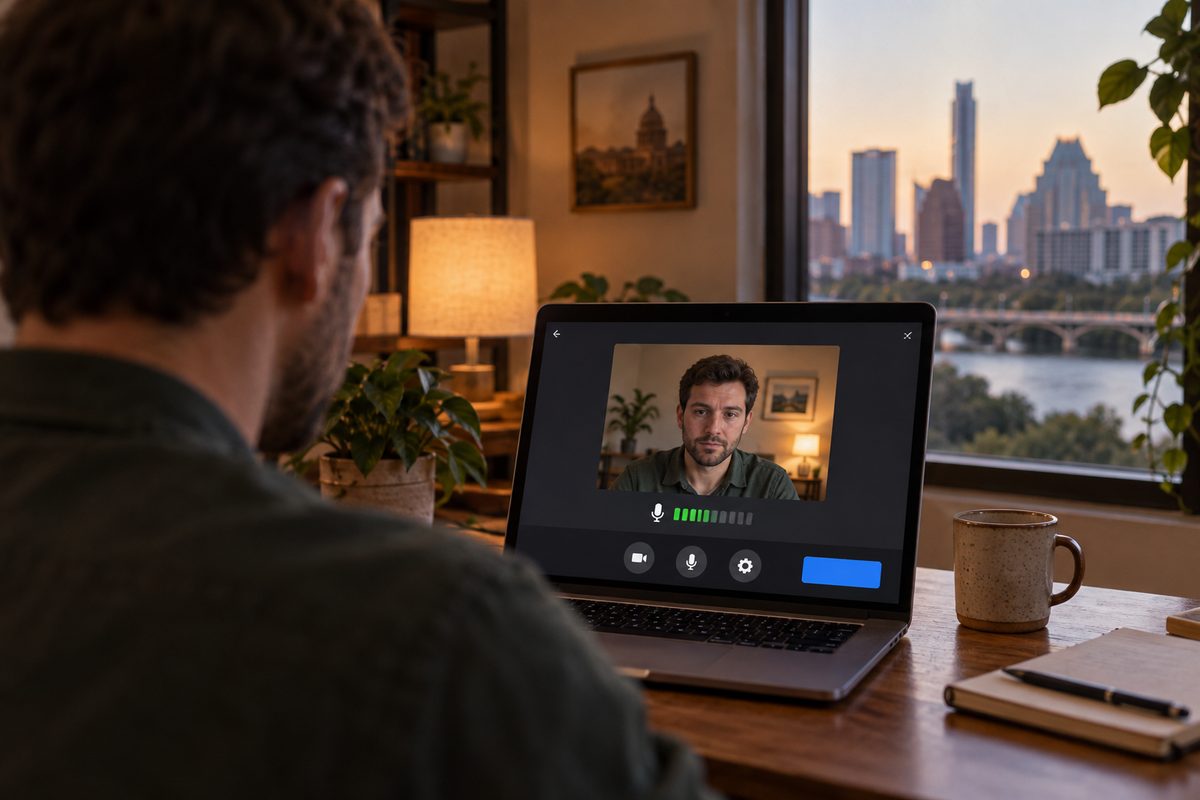
01 / 05 · Join screen
Two minutes early, camera off by default.
The join screen shows your own preview and a live microphone bar before anyone else can see or hear you. It also runs a three-second upload check. If you are under 1.2 Mbps up, it says so here and offers audio-first, instead of letting you discover it when your face freezes mid-sentence.
-
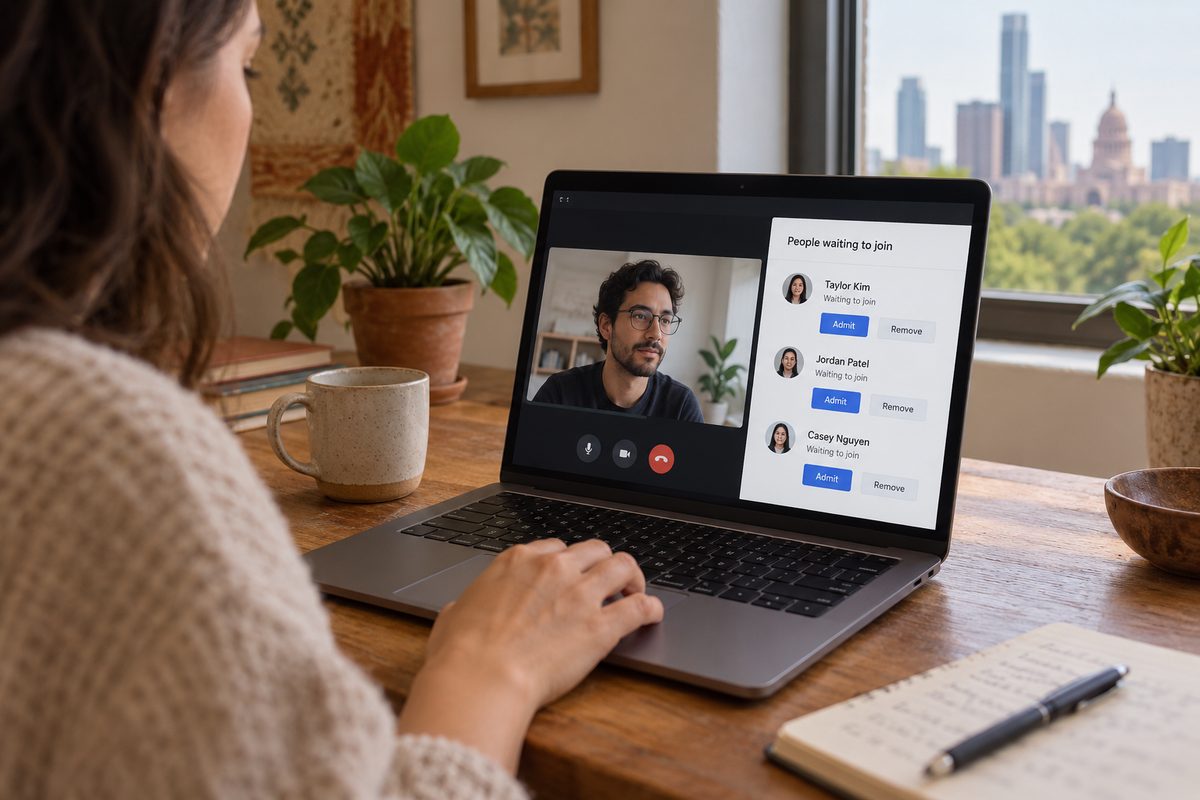
02 / 05 · Waiting room
The host lets people in. Or a rule does.
Guests from outside your domain wait; colleagues signed in through your directory walk straight in. The host sees names and whether each person joined by app, browser or phone. Admit one, admit all, or send a short note to the room. Nobody sits in silence wondering if the link was wrong.
-

03 / 05 · Breakout rooms
Forty people become eight rooms of five.
Split automatically, by a list you prepared, or let people pick. A timer counts every room down together and a broadcast message lands in all of them at once. The facilitator can drop into any room without a reconnect. Up to 50 rooms per meeting; most workshops use six to ten.
-

04 / 05 · Screen share
Share the chart, not your inbox.
The default share is one window. You have to choose the whole desktop on purpose. A static spreadsheet costs about 0.5 Mbps; scrolling a video or a busy design file pushes toward 1.5. Participant tiles shrink to a strip along the top so the content gets the screen.
-
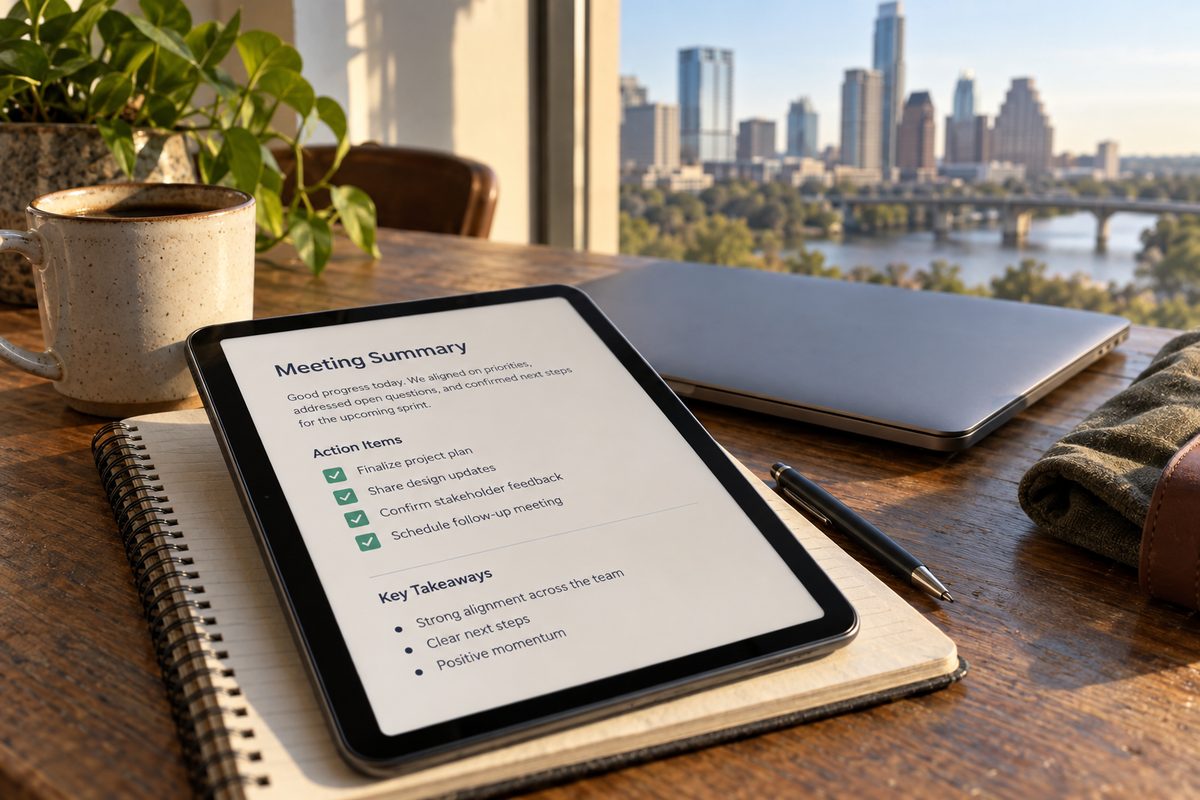
05 / 05 · Wrap-up
The call ends. The notes do not.
If the meeting was recorded, the transcript is ready a few minutes after the host leaves, and the action items anyone typed in chat are pulled into one list on the meeting page. That page links back to the channel the call started from, so the follow-up happens where the team already talks.


01 / 05
Drag, scroll or use the arrow keys
04 / 08 Bandwidth
Where calls actually break
Plan for hotel wifi
“Most calls fail on the upload side. Your attendees can hear you fine; you cannot hear them.”
A 720p tile needs about 1.2 Mbps each way. Ask for 1080p and that becomes 3. Plan for the person on hotel wifi. A typical cable line in Texas gives 300 down and 10 up, and the up figure is the one shared with a teenager uploading game footage. That is why every proposal we write starts with your weakest participant, not your strongest.
When upload falls below what the tile needs, Vebex steps the outgoing video down a layer, then to a still frame, and keeps the audio at roughly 0.1 Mbps until there is nothing left to give. The voice is the last thing to go.
05 / 08 Configure
Virtual meeting platform pricing, worked out first
Start with your biggest call
Tell us the biggest meeting you run in a month. The licence follows from that number, not from headcount. Three questions get you a tier; the full configurator adds modules, retention and dial-in minutes and writes the spec into your inquiry.
06 / 08 Refusals
What we will not build
Four things we say no to
-
No paywall in a call
A host never meets an upgrade screen mid-meeting.
If your licence does not include something, the button is not there. You find out in the admin console on a Tuesday afternoon, not in front of 200 people at a quarterly review.
-
No attention scoring
We do not score who looked away from the camera. That feature does not exist here and will not.
We get asked for it about once a quarter, usually by someone who has just lost a sales call. It measures nothing useful, it teaches people to stare at a lens, and it is surveillance with a dashboard.
-
No lock-in on the first proposal
Monthly first. Annual only when you ask.
You should know whether the call quality holds up in your own buildings before you commit to twelve months. If it does, annual terms are available. If it does not, leaving costs you nothing but the month.
-
No uptime boasts
No percentage we cannot measure from our own status data.
Instead of a number with four nines, we publish what counts as an outage and what credit you get for one. That lives on the service commitment page.
A team of four that meets twice a week does not need us; a free tier somewhere else will serve you fine. Neither does anyone who wants a single meeting of 10,000. We cap at 1,000 per meeting and would rather say so now than in a proposal.

07 / 08 Security
Secure video conferencing for companies
Controls an admin can read
The admin console is included from Business tier. It is built for the person who gets the phone call when a recording ends up somewhere it should not, so everything it changes is written down.
Encryption in transit
Media and signalling are encrypted between every client and our servers. Phone dial-in legs travel over the public telephone network once they leave us, and we say that plainly in the meeting info.
Single sign-on
Video conferencing with SSO through your identity provider. Leavers lose access when you disable them there, not when someone remembers to tidy a seat list.
Retention controls
Recordings are kept for 30 days unless you change it. Set 7, 90 or 365 per workspace, and deletion runs on schedule without anyone clicking anything.
Admin audit log
Every role change, policy edit and recording deletion is logged with who, when and from where. Export it, or stream it to your own system with a webhook.
08 / 08 Inquiry
Ask for a proposal
Describe one real month
A Zoom alternative for teams is easy to promise. We would rather see your numbers. Send them and the engineer on support rotation writes back (every engineer here takes one week in eight on that queue) with a proposal that names the tier, the modules and the price basis for each.